Autonomous Endpoint Remediation

Stop writing scripts.
Let drift fix itself.

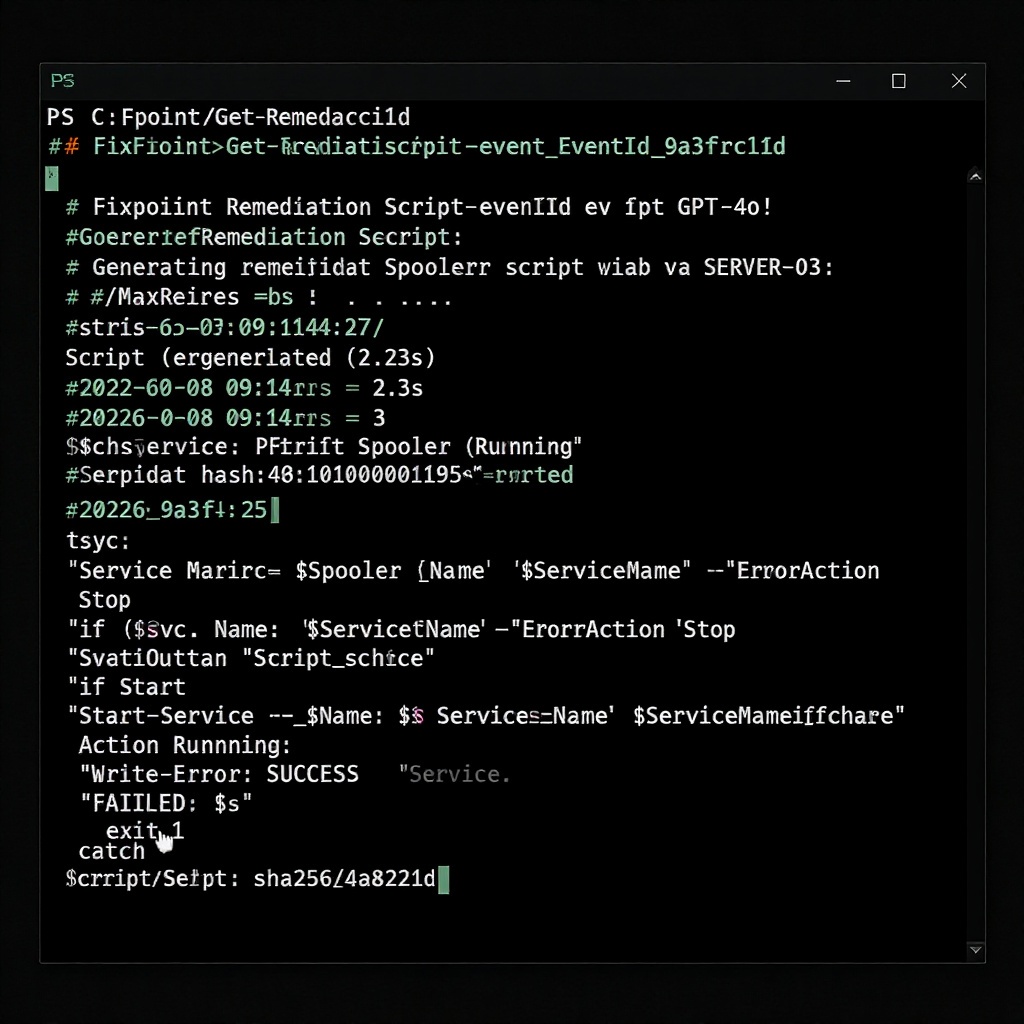
Fixpoint runs a local agent on every Windows 11 endpoint. When a service stops or a config drifts, it writes the remediation script, verifies it in sandbox, and deploys it — without a ticket, without a page, without your team in the loop.

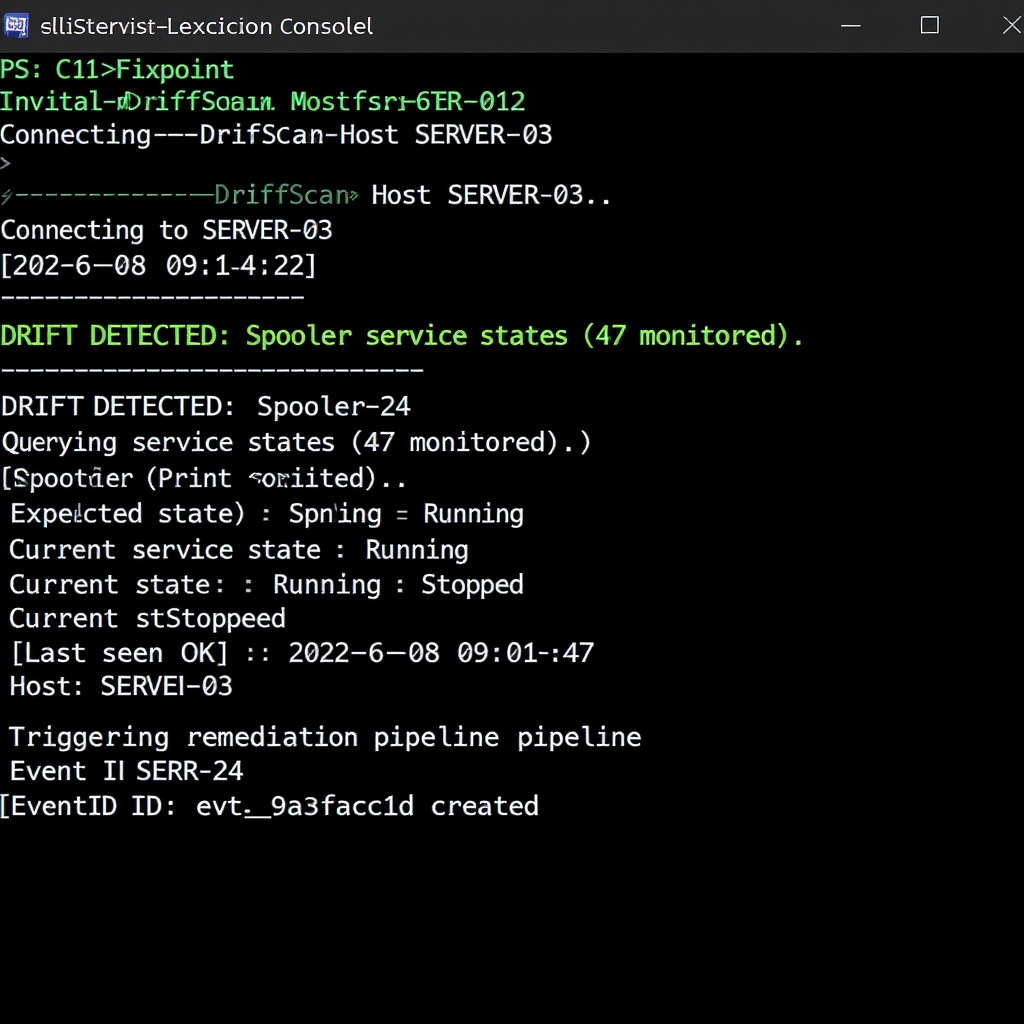
Detect Configuration drift, failed services, CVE exposure
Generate Writes remediation script for the specific drift event
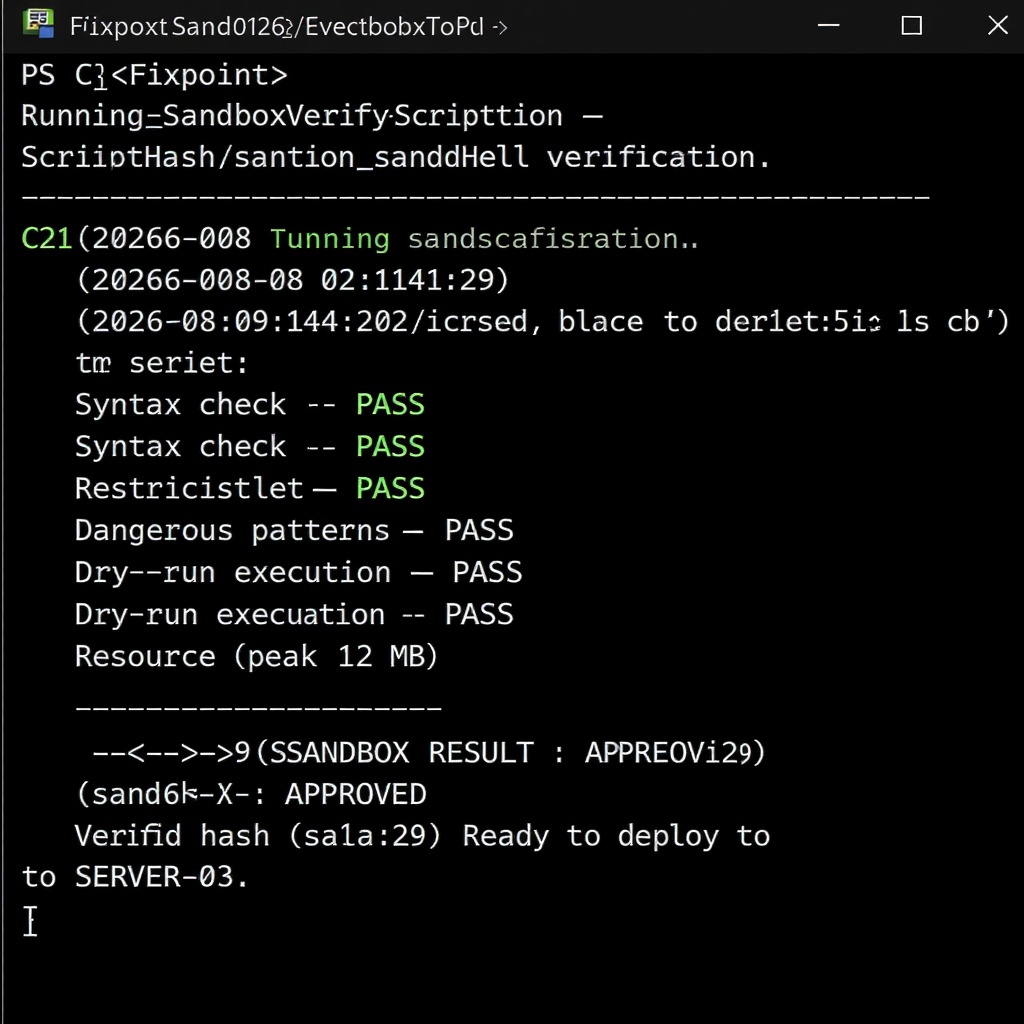
Sandbox Verifies fix in isolated execution environment
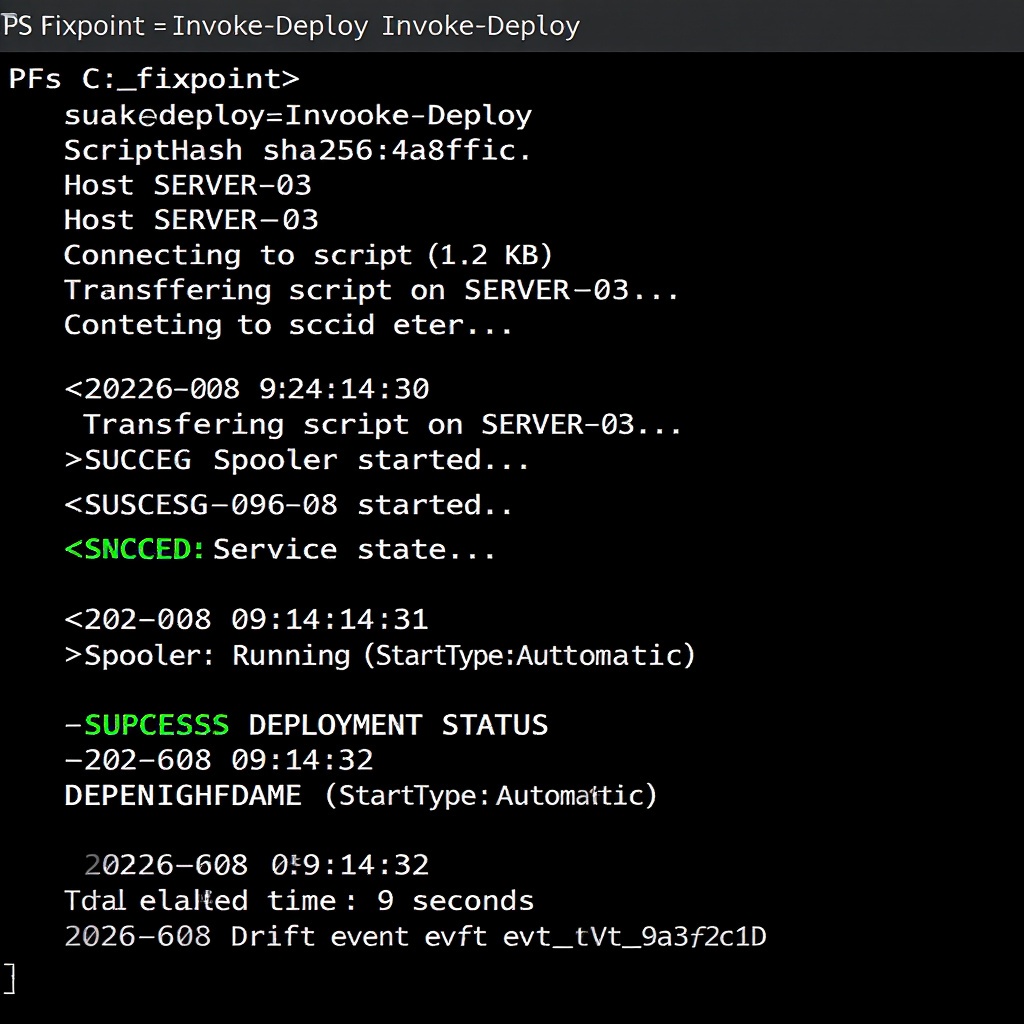
Deploy Rolls out verified fix across affected endpoints
Zero human intervention after detect
YC-Backed
Founded 2024 • San Francisco, CA
4,200+ endpoints remediated this month
12,840 drift events caught before incident escalation
380ms average sandbox verification time
99.4% endpoint uptime across monitored fleet
Trusted by IT teams at

Doesn't pretend AI is magic — it shows you exactly what it ran before touching production. That's what sold our CISO. We can audit every script, every sandbox result. No black boxes.

DK
David Kowalski IT Director, Mid-market Manufacturing — 600 endpoints

We manage 80+ client environments. Fixpoint means we're not waking up to 'Printer Spooler crashed on DC-01' anymore. It catches it before the ticket hits our queue.

MR
Maria Reyes Co-owner, Regional MSP — 14 enterprise clients

Skeptical of AI-first tools. Fixpoint earned trust fast — sandbox verification isn't marketing copy, it's the actual execution log. I can point a junior admin at it and they get it immediately.

JT
James Tran Senior Sysadmin, FinTech Services — 200+ endpoint fleet
Enterprise-ready security posture
SOC 2 Type II (Roadmap)
GDPR (Roadmap)
Zero-Trust Execution
Air-Gapped Remediation
HIPAA (Roadmap)

From drift to fix in under 15 seconds

Here's exactly what happens on your network when a Windows service stops. No marketing speak — this is the actual flow.
Detect
Generate
Sandbox
Deploy

Detection without remediation is just expensive alerting.

You already have tools that detect drift.

Intune flags it. Your RMM alerts on it. Your SIEM surfaces it. Every 3 AM page tells you something is wrong — but then what?

Every drift event needs a human to write a fix.

Your senior sysadmin drops what they're doing, writes a remediation script, tests it on a workstation, hopes it doesn't break anything, then deploys it. Repeat 300 times a week.

Mean time to remediation grows with every new endpoint.

You scale the fleet. You don't scale the people. Drift compounds silently until a breach makes the news — or a user calls complaining their laptop is broken.

73% of enterprise endpoints have at least one unaddressed configuration deviation at any given time (Ponemon, 2025)
4.2hrs average time for a senior sysadmin to research, write, test, and deploy a custom remediation script
47% of drift events in large environments go unaddressed for more than 72 hours

Fixpoint is the remediation engine your management stack is missing.

Fixpoint runs a local agent on every Windows 11 endpoint. It continuously evaluates your configuration baselines — registry policies, service states, update compliance, security controls — and when it finds a deviation, it doesn't just alert. It generates a targeted remediation script, tests it in an isolated sandbox, and deploys the verified fix. Automatically.

The admin sees a log entry. The problem is gone.

01

AI-generated remediation scripts

No predefined script library. Fixpoint writes a targeted fix for each specific drift event — registry drift, service failure, CVE exposure, group policy deviation — using the actual system state as context.

02

Sandbox verification before deployment

Every generated script runs in an isolated local sandbox before it touches production. Fixpoint validates the fix actually resolves the drift and doesn't break anything else. Failed sandbox = no deployment.

03

Local execution — no credentials in transit

The agent runs with least-privilege principles. No admin credentials sent to a cloud service. No outbound connections required for remediation. Once verified, the fix executes locally on the endpoint.

04

Intune-native integration

Fixpoint complements your existing Intune deployment. It consumes your configuration baselines, reports remediation activity back into your compliance dashboard, and respects your existing policy definitions.

Deployed in minutes. Runs silently forever.

Management Plane Your existing tools — Intune, Sentinel, Splashtop
Intune
Sentinel / Defender
Existing RMM
Baseline config feeds / remediation reporting
Fixpoint Control Plane Cloud-native console — policy, telemetry, remediation logs
Control Plane
Policy Engine
Telemetry
Lightweight agent sync — no persistent connection required
Fixpoint Endpoint Agent Per-device — monitors, generates, verifies, remediates
Baseline Monitor
Script Generator
Local Sandbox
Remediation Executor
No VPN required — agent syncs outbound only
Remediation executes locally — no credentials transit the network
Works fully offline — internet only required for initial sync
Agent binary under 8MB — deploys via Intune in under 5 minutes

Built for environments where "good enough" alerting isn't enough.

Sandbox before deploy

Every AI-generated script runs in a local isolated execution context before it touches production. A script that exits with an error, modifies files outside its remediation scope, or calls restricted cmdlets (Remove-Item, Stop-Process, Disable-WindowsOptionalFeature) gets blocked — not deployed.

WinRM execution, no credentials in transit

Remediation executes over WinRM against your existing endpoint fleet. No admin passwords sent to a cloud service. No stored credentials on managed endpoints. The agent runs with the same permissions it already has — least privilege, always.

Works when the network doesn't

The agent operates fully offline. Detection, script generation, sandbox verification, and execution all run locally on the Windows endpoint. Network connectivity is required only for policy sync and drift reporting — remediation never depends on a cloud round-trip.

Script context, not script templates

Fixpoint doesn't pull from a library of predefined runbooks. For every drift event, it reads the actual system state — service metadata, recent event log entries, current registry values — and generates a script that's specific to that event. A W32Time failure gets a different script than a Spooler crash, even on the same host.

Traditional RMM tells you what's broken. Fixpoint fixes it.

Per-endpoint. No surprises.

Scale from 10 endpoints to 10,000. Pricing based on active devices — not alerts, not users.

Start free trial →
Starter
$8 /endpoint/mo

Detect. Verify. Know what's broken.

  • Drift detection on all Windows 11 endpoints
  • AI-generated PowerShell remediation scripts
  • Sandboxed script verification
  • Remediation dashboard
  • 50 endpoint minimum
  • Automated deployment
  • Custom runbook templates
  • SLA-backed remediation windows
  • Dedicated infrastructure
Min. 50 endpoints
Enterprise
Custom

Volume pricing. Dedicated support.

  • Everything in Professional
  • Dedicated remediation infrastructure
  • Custom SLA-backed remediation windows
  • SSO / SAML integration
  • Private runbook library
  • Per-endpoint volume pricing
  • Priority support + named CSM
  • No minimum endpoint count
500+ endpoints
Starter Professional Enterprise
Coverage
Endpoints covered $50 min. $50 min. Custom
Drift detection
Remediation
Script generation (AI)
Sandbox verification
Automated deployment
Scheduled remediation windows
Custom runbook templates
Private runbook library
Management
Drift history & audit log
SSO / SAML
Support
Standard support
Priority support + named CSM
Custom SLA windows
Dedicated infrastructure
How does per-endpoint billing work?
You're billed monthly per active endpoint. An endpoint is any Windows 11 device with the Fixpoint agent installed and phoning home. Uninstall the agent and it stops counting at next billing cycle. No annual commitments required — monthly subscription, cancel anytime.
What qualifies as an "endpoint"?
Any Windows 11 device running the Fixpoint local agent. Physical machines, VMs, and Azure Virtual Desktops all count. If it boots Windows 11 and checks in, it's an endpoint.
What happens if I exceed my endpoint count?
You'll be notified at 80% of your plan limit. Overages are billed at the same per-endpoint rate — no penalty, no surprise. You can upgrade your plan at any time from the dashboard.
MSP pricing — do you handle multi-client billing?
Professional and Enterprise plans support multi-client endpoint pools with per-client reporting. Contact us for reseller and MSP volume pricing — the 500+ endpoint threshold for Enterprise pricing is negotiable for MSPs managing multiple end-customer environments.
Is there a free trial?
Yes — 14-day free trial with up to 25 endpoints, no credit card required. Agent installs in under 5 minutes via MSI or PowerShell script.

What are you actually spending?

Enter your numbers. We'll show you whether Fixpoint pays for itself — and when.

52000+
$
Fixpoint cost
Manual remediation cost
Monthly savings
Annual savings
Break-even: endpoints needed for Fixpoint to cost less than manual
Per-endpoint cost across plans
Starter $8/ep/mo
Professional $15/ep/mo
Enterprise Custom

Why autonomous remediation wins

  • 83% fewer tickets IT teams using Fixpoint open substantially fewer drift-related tickets — the system fixes things before humans notice them.
  • < 2 min Scripts execute in under 2 minutes vs. the 45-minute average for manual remediation on Windows configuration issues.
  • Zero human error Automated corrections eliminate the copy-paste mistakes that plague manual runbook execution at scale.
  • Full audit trail Every drift event, every script run, every remediation — logged and exportable. No more guessing what changed.

Talk to our team

Volume pricing, custom SLAs, MSP resell arrangements — we handle it.

We respond within one business day.

See Fixpoint running on your endpoints.

We'll walk you through a live drift scenario and show how the agent generates and deploys a remediation — no scripts, no manual triage.